
What do you do when you travel but want to watch the channels you have at home? I was going to be out of the country for a month and would not have access to Scandinavian TV. Luckily there are services like NTV.mx which cater to travellers and expats in Spain, Cyprus, France and other popular vacation spots. With this service you can gain access to your home country’s channels through IPTV technology. Here is my NTV.mx review for their 200+ channel Ultimate Package.
NTV should only be considered a supplement to your existing cable or satellite package to fill the content gaps from your providers. It is also a great solution for expats whose favorite channels are not available in their new country of residence.
NTV.mx Review Budget IPTV
Expats in Spain will need to register with White Label
I stumbled upon the NTV free demo which requires no registration and was impressed with the Web Player’s quality. I decided I had to see if NTV.mx was as good as it seemed. For less than €25, I was able to watch all of my Scandinavian channels including sports channels through the Kodi XBMC plugin. With the Ultimate Package I got more channels than from my own cable provider. The Ultimate package looked like it would suit my needs having all of the Scandinavian channels plus plenty of sports channels – overall cost is 9 cents per channel! As a bonus, when my girlfriend was visiting she could watch her shows in the Web Player while I watched football on the Mag250.
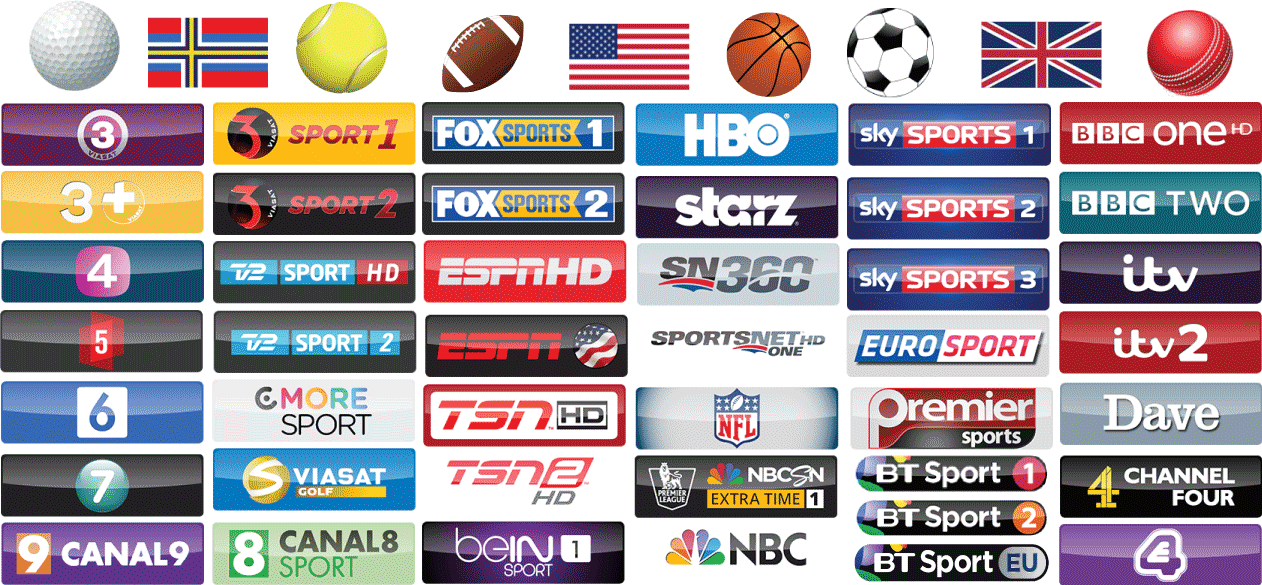
This is a sample of the available channels for the UK and Scandinavian packages. Registration and streaming may be blocked in the host countries as NTV was created to serve expats.
As of May 2015, NTV now caters to North American (US) expats as well, below is a sample of channels.
You can watch all of your NTV.mx channels in multiple ways
- Kodi (XBMC plugin – install guide)
- Web player on Laptops and Tablets (Android, iPad)
- Set top boxes like the Mag 250
| Package | ||||
|---|---|---|---|---|
| UK Premium | ||||
| Scandinavian | ||||
| American | ||||
| Sports | ||||
| Ultimate |
What is IPTV?
IPTV stands for Internet Protocol Television. Essentially, you are able to connect to a server and instantly stream any channel your provider streams. Many providers around the world are now making their live streams available on their web sites. Unfortunately, many of them block users based on their geolocation which you could workaround using a VPN (PureVPN costs $5/month). However, if you watch a lot of sports or other channels it is worth spending the extra $20 for over 200 channels. The quality of IPTV varies from standard quality to high definition. NTV.mx has both qualities which is useful if you have a slower internet connection. Normal IPTV services do not provide programming guide information, NTV has a TV guide built in through Electronic Programming Guide technology in the Web Player and XBMC plugin.
NTV.mx Channels
Sports
Sports lovers like me will never have to miss another Champion’s league game, NFL or NBA game again. Even if you are on a business trip or visiting family or friends, you can login to NTV.mx and find your match. With 90+ channels you will struggle to find a sports event that isn’t available live!
- UK channels
- US and North American channels
- Golf Channels
Kids
Kids can enjoy the following channels on a tablet or separate machine setup to run XBMC which will run on any laptop or Android tablet.
- Disney Channel
- Nickelodeon
- Nick Jr
- Cartoonito
NTV.mx Review of Stream Quality
If you have ever streamed sports through external sites you will have noticed choppy or laggy playback for the big games. I have yet to experience choppy or laggy playback with NTV. I did experience some random green blocks just like you do with cable TV. One other gripe I had was that the SD quality was not consistent across streams, some channels had a clearer picture than others. Nevertheless, NTV offers a huge savings in price and increased channel choices for a minor sacrifice in quality.
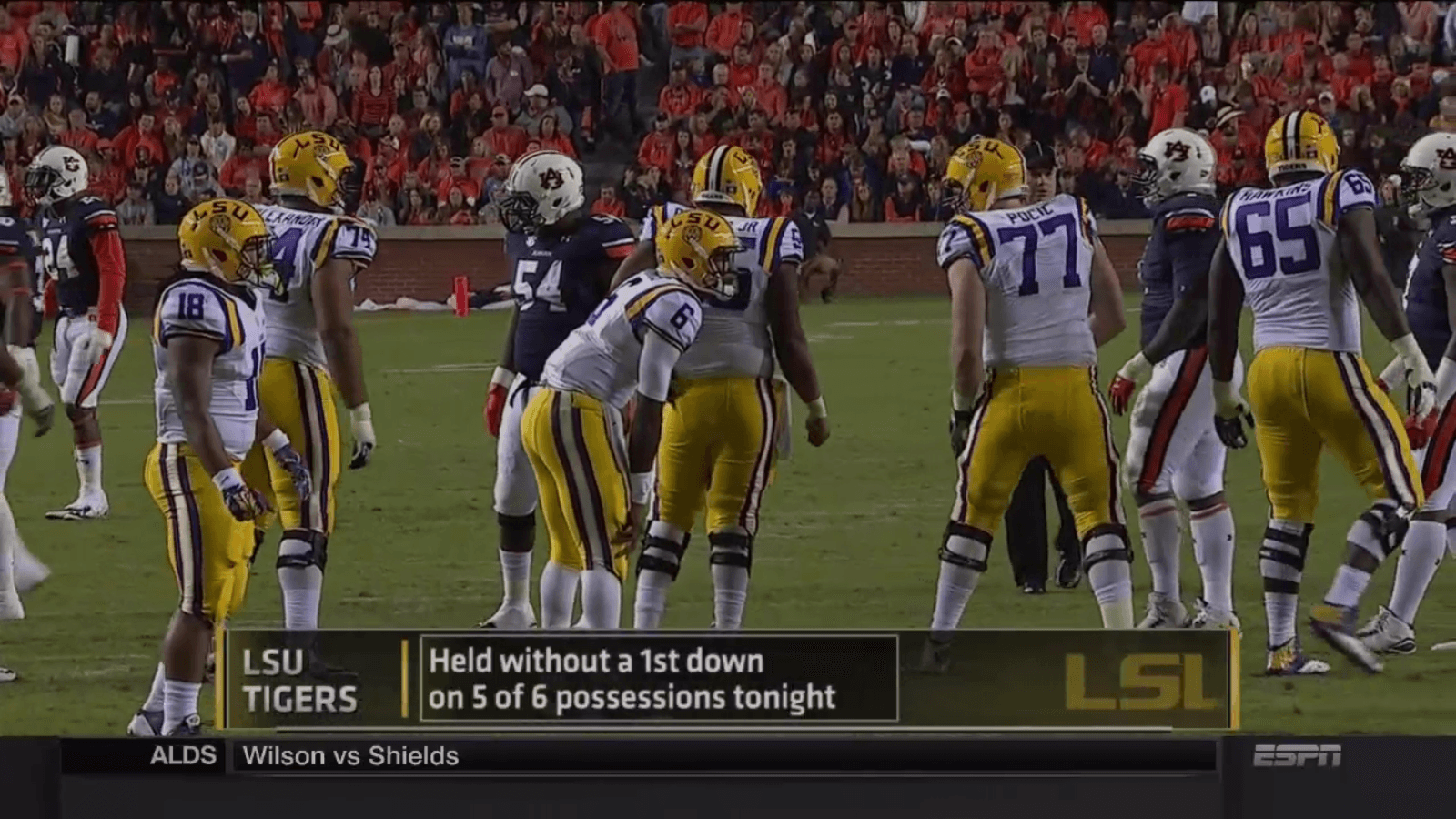
Standard Quality streams generally look like the screenshot below. I experienced channels as very acceptable quality on my laptop and 32 inch TV.

High Definition streams looks even better, perfect for enjoying sports. They are full 720p resolution so will look great on any TV set or laptop.
Read on to see the NTV.mx features
NTV.mx Features
NTV Mag 250 subscriptions allow 2 simultaneous logins: one for the Mag 250 and one for the Web player/Kodi plugin. This means you can watch 2 football games which is especially useful on football days where several matches air simultaneously. It is also useful if you and your partner want to watch different content while on the road.
Kodi XBMC Plugin
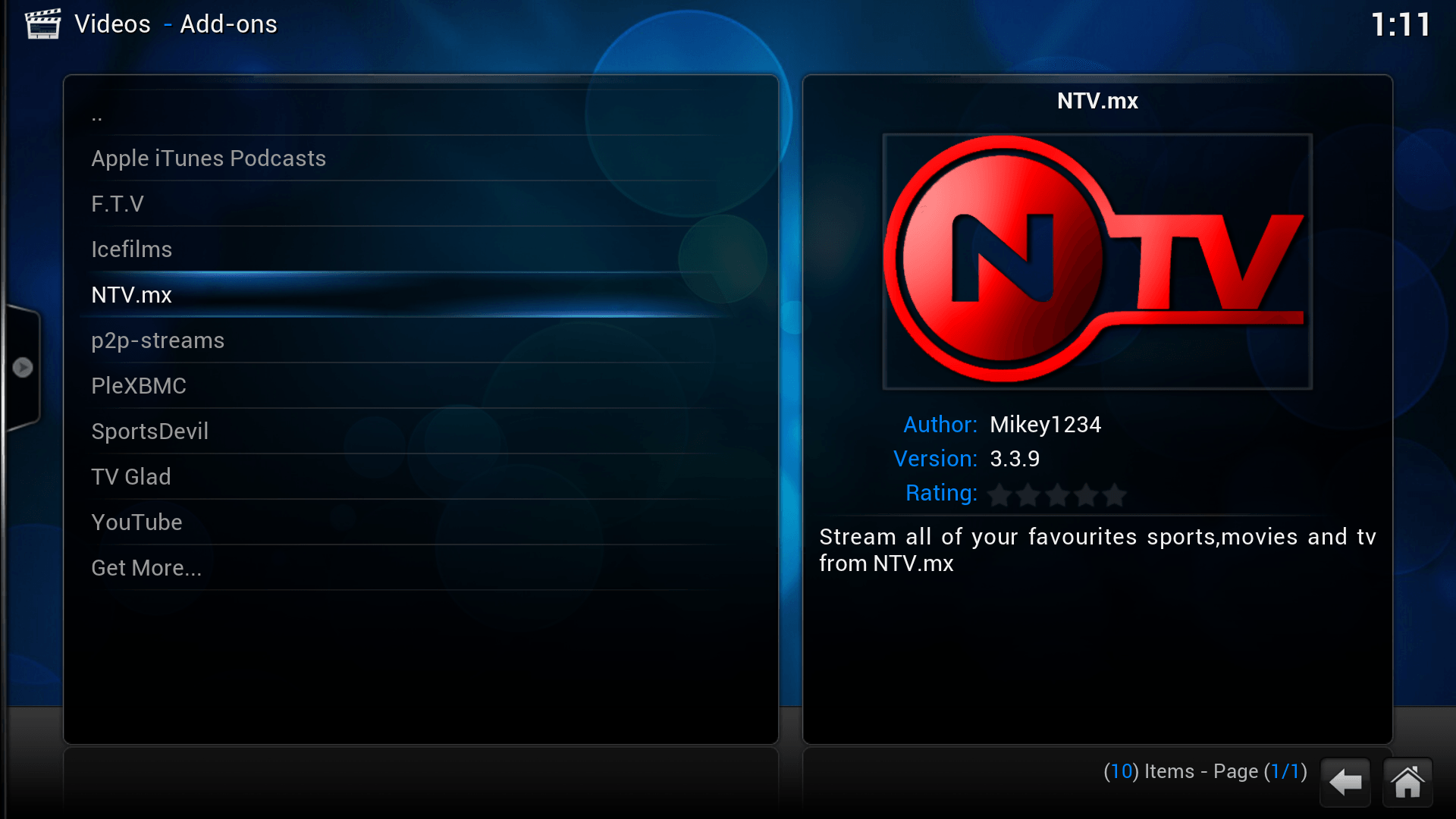
The Kodi XBMC plugin was very easy to install. I simply uploaded the zip file in XBMC, added my login information and had instant access to my Ultimate Package.
Here is what the NTV plugin looks like, sleek and professional. Here is my guide on How to install the Kodi XBMC plugin for NTV and integrating FTV Guide’s EPG with it as well for a beautiful channel surfing experience.
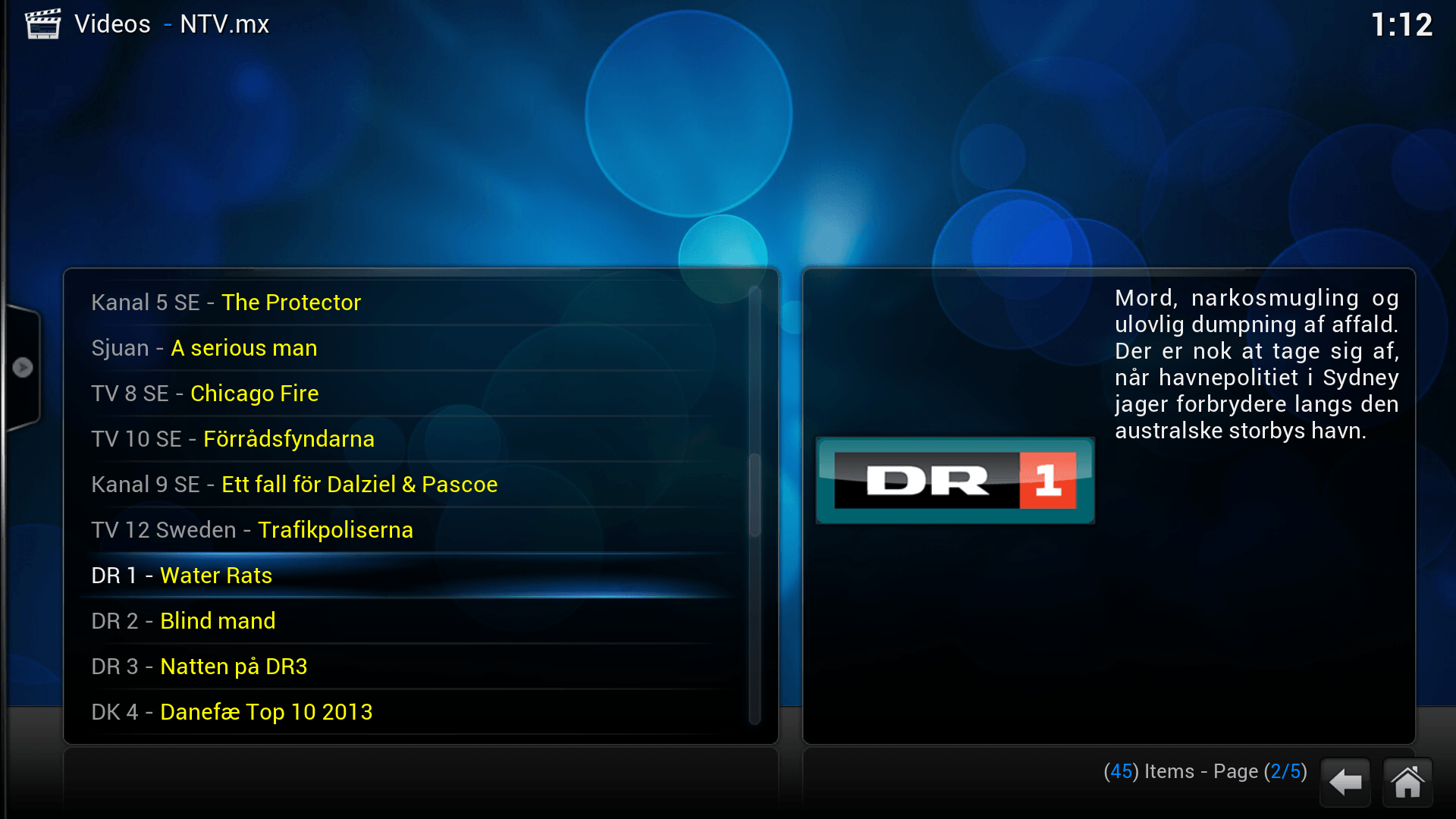
Inside the plugin you get a menu of categories since there are so many channels to choose from. In yellow you get the current program that is on that channel. You cannot fully customize your channel list which was inconvenient, especially since there are so many channels. The plugin is open source though so it can be hacked with elementary programming knowledge.
If you right click on the channel and choose TV Guide you will get the full TV schedule for that channel
You can also record shows if you use krogbell’s version of the NTV plugin linked to on the installation page.
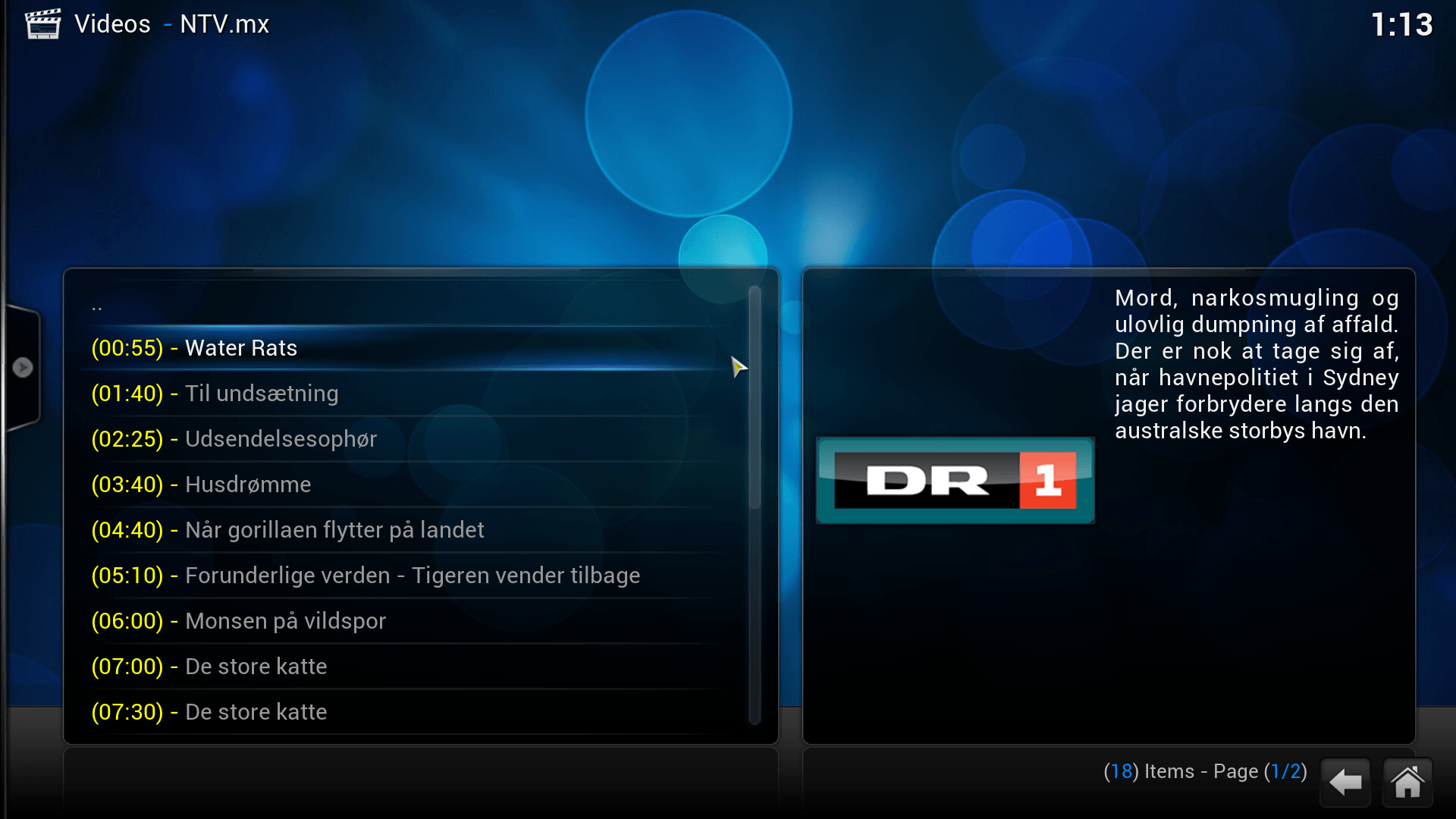
The Electronic Programming Guide (EPG) information for the XBMC plugin auto updates but it was not always consistent. Sometimes there was no EPG information at all for channels, simply showing ‘n a’ for not applicable. I was told this is because the XBMC plugin is being updated so it should be fixed in the future. You can use a custom XBMC plugin to record shows though which makes it a proper Personal Video Recorder solution.
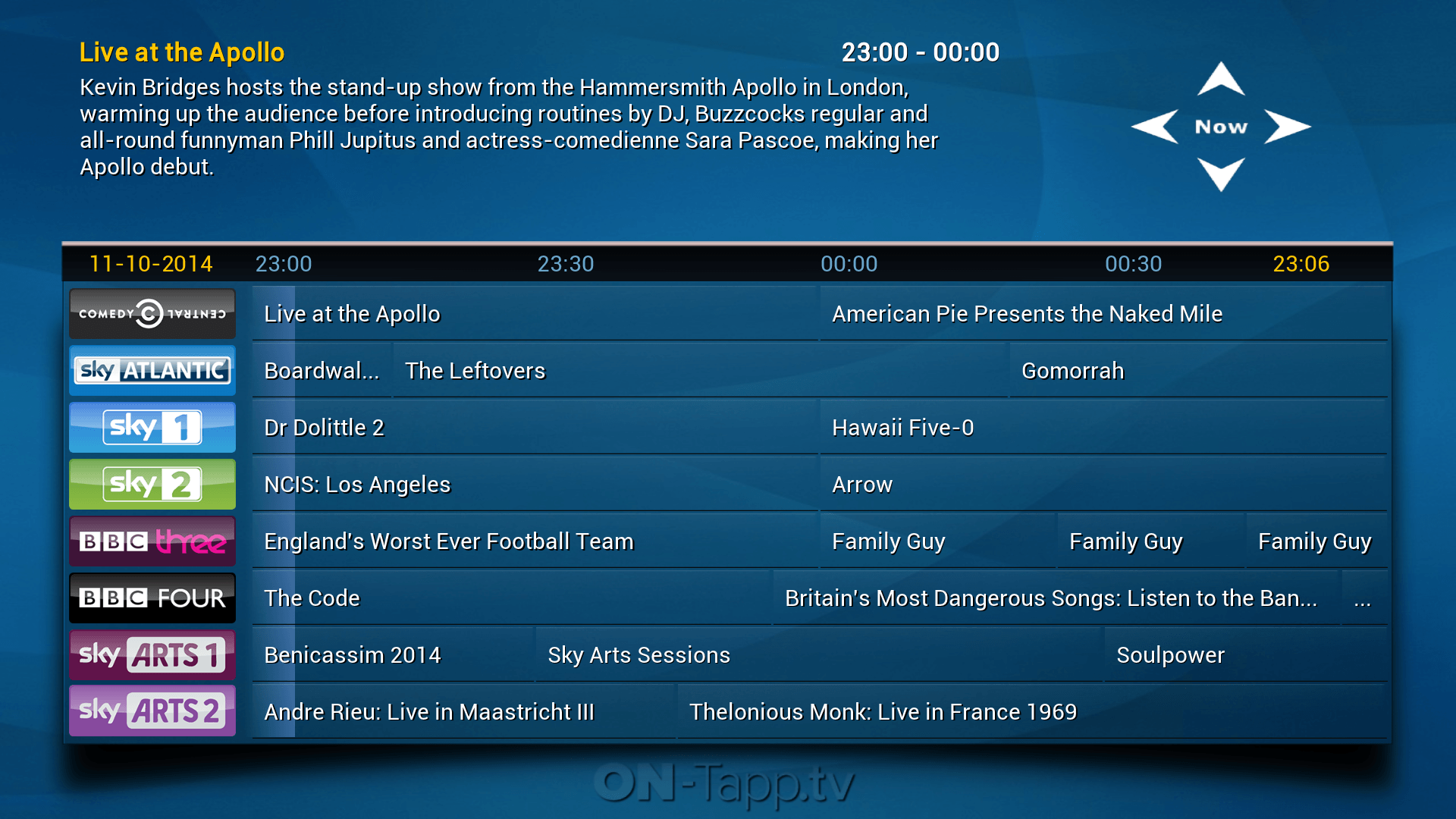
If you want reliable EPG and a sleeker interface you can use Ontapp.tv‘s XBMC plugin (but it costs $2/month).
Ontapp is considerably more beautiful than the regular XBMC plugin.
FTV Guide Plugin Integration
For UK and US channels you can integrate the EPG guide below with NTV which is free (unlike OnTapp)!
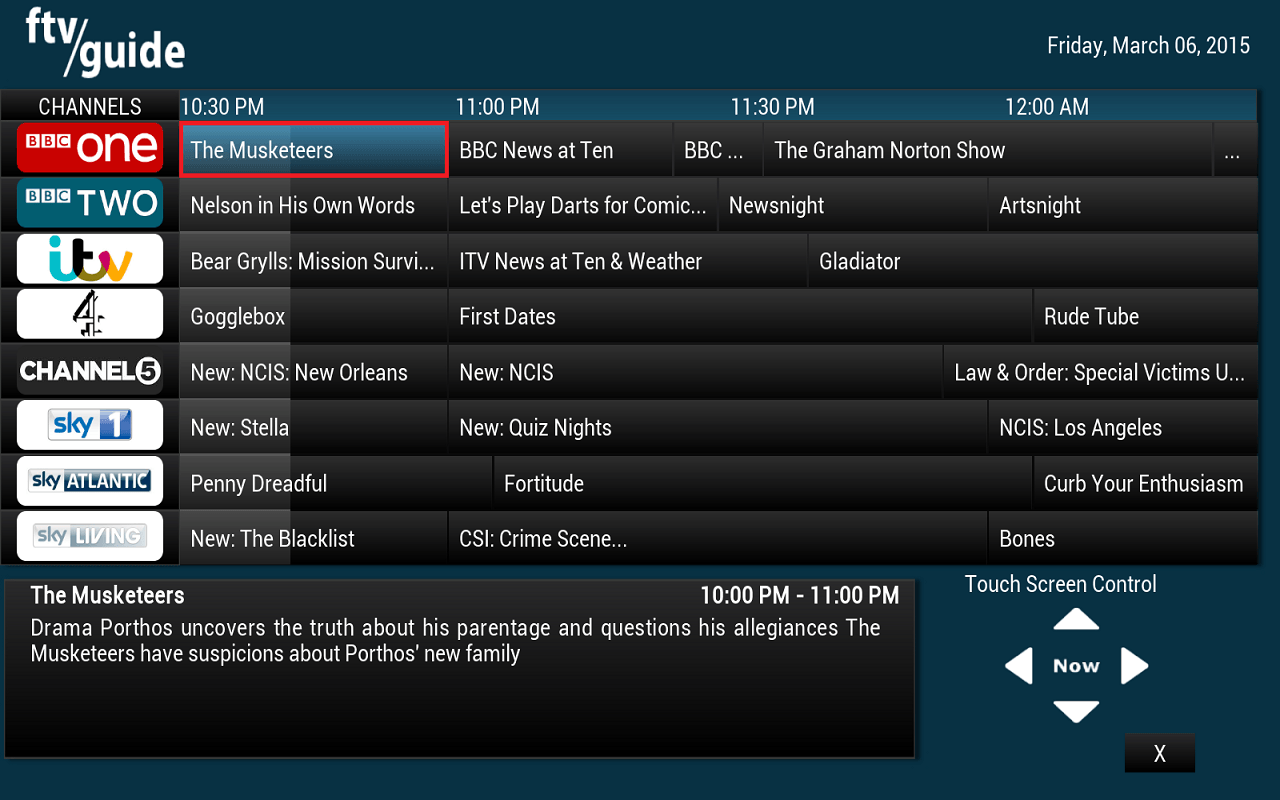
TV Guide Plugin Integration
For Scandinavian channels you can follow this guide for integrating with NTV also free unlike Ontapp.
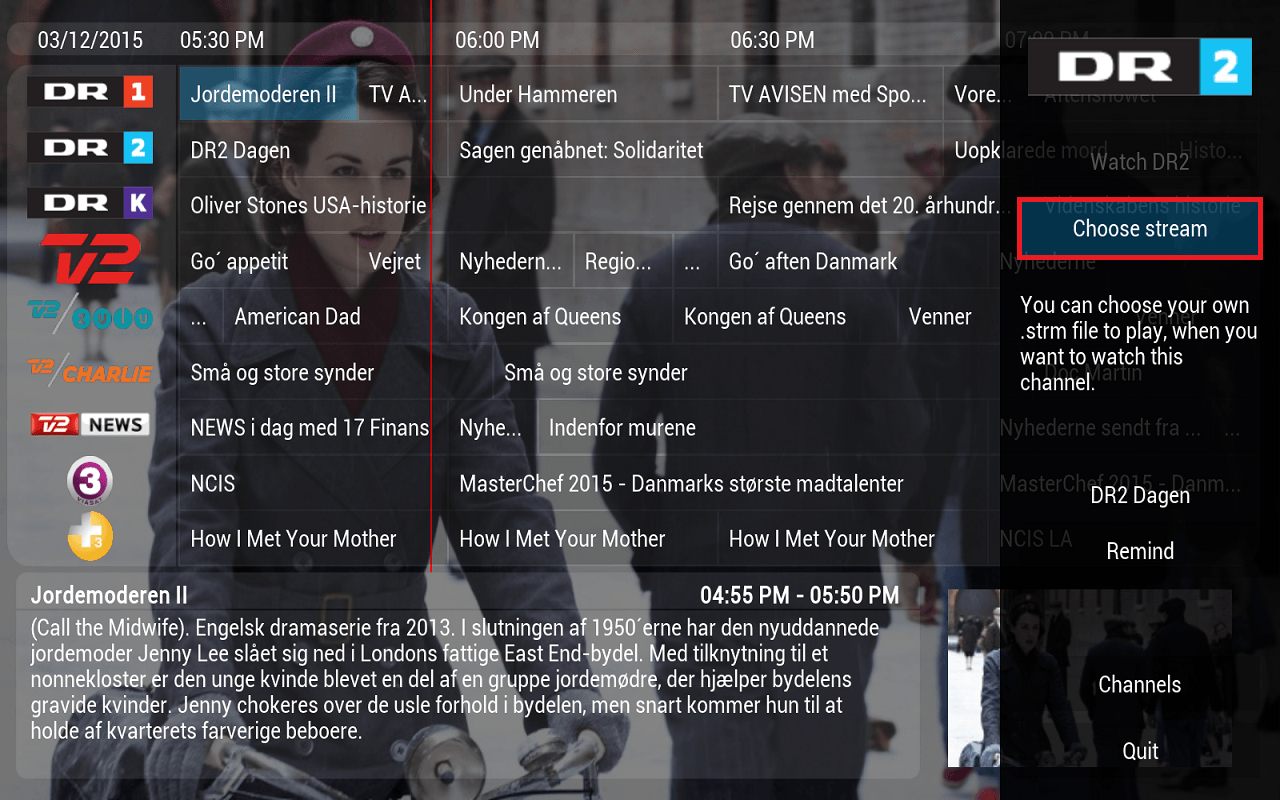
Web Player
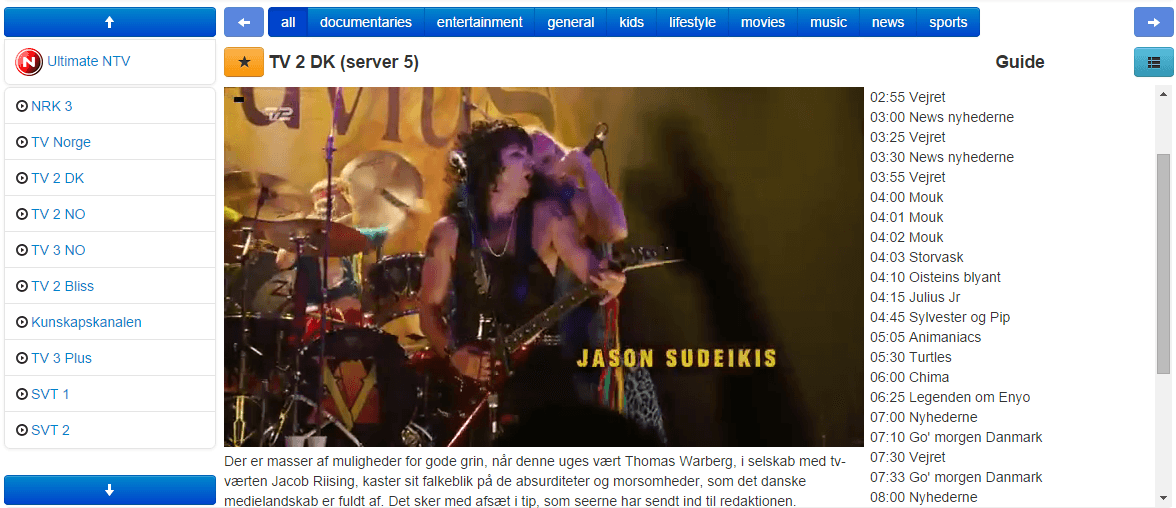
The web player is as simple as logging into your account. You click TV Online and you will see this intuitive interface.
Your channel list is on the left hand side and the full program guide for the channel is on the right hand side.
You can full screen the video and adjust the audio from the video player interface.
Set Top Box Mag 250
The set top box option is very cool. The interface closely resembles cable boxes. I was able to emulate the Mag 250 on an Android device. You can also search for a Mag 250 on eBay .
.
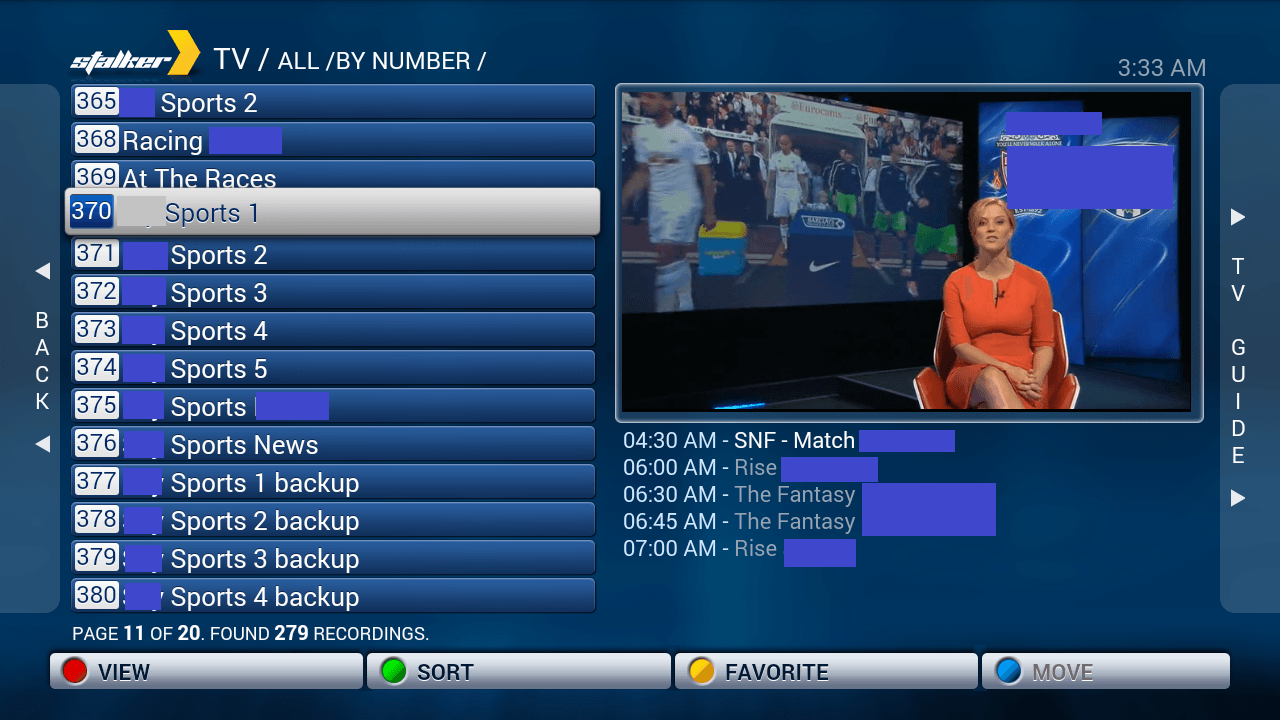
If you click on a specific channel it gives you a full TV guide overview and further information.
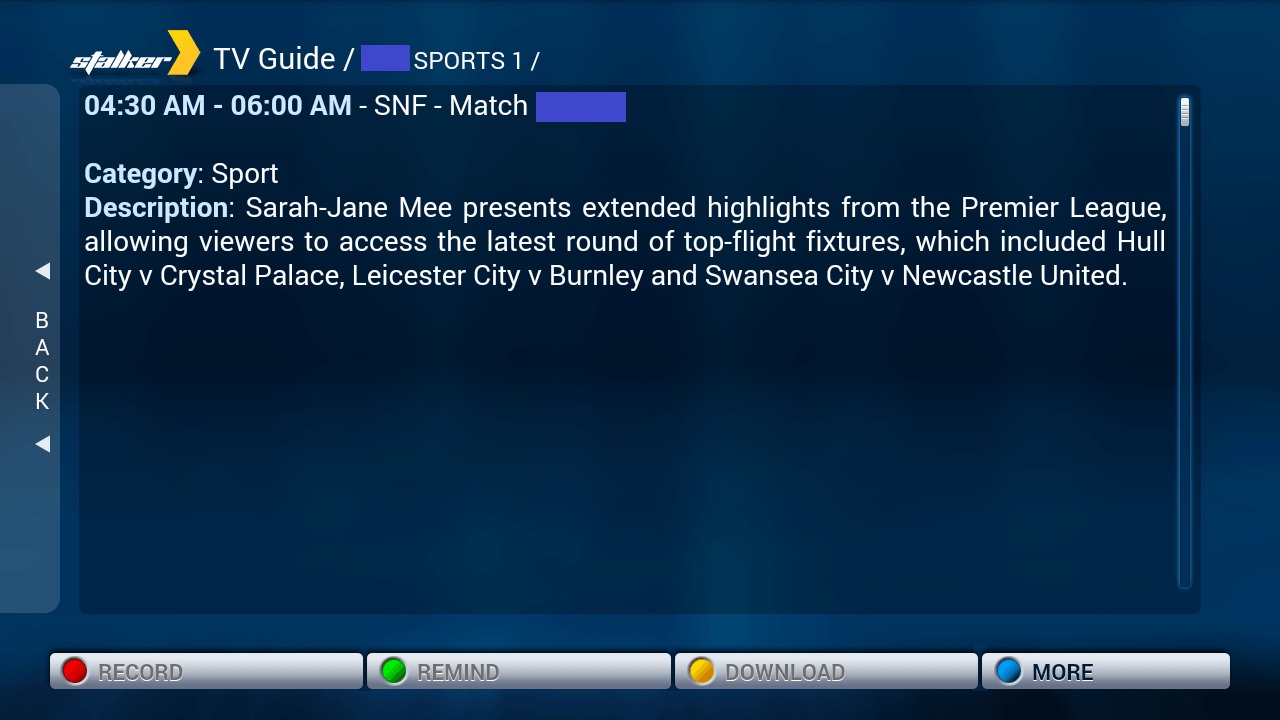
As you can see the Mag 250 NTV box solution is the most user friendly. If you have a relative living in another country who isn’t so tech savvy, this is the perfect solution so they can see the channels they miss from back home. In the future you will be able to record channels from the Mag 250 making it a proper Personal Video Recorder solution.
Customer Service
One of my favorite features of NTV is that when I signed up it did not automatically renew my payment. Unlike cable companies there were no hidden charges. I didn’t have to remember to cancel my membership within 7 days in order to not be billed the following month. I could just let my subscription run to the end of the month. Of course I keep using it because I travel but if you were going abroad for the summer you wouldn’t have to worry about NTV trying to bill you for more months of service than you require.
If you have any issues with the service there is usually a Live Chat representative available to help you. I told them several problems I had with audio in some channels not working and the subpar quality on some channels. The audio was fixed within minutes and they assured me they were working on making the quality across channels consistent. Overall their customer service is very high quality.
Conclusion
Cons
- Standard quality streams watchable but not consistent (representative says they are working on improving them)
- XBMC experience needs some polish especially with the EPG information for both layout and updating properly
- Mag 250 cannot record shows yet
- I would also like to be able to customize my channel list for the XBMC plugin
Pros
- HD streams were beautiful
- Mag 250 experience is sweet: customize your channel list
- XBMC allows you to record shows
- Huge selection of Sports and regular channels
- Watch your home channels away from home
- Affordable
I have been more than satisfied with NTV. They offer serious value for money despite it not being perfect. They continue to add new channels and are developing their Web Player further. The XBMC plugin team are working on the EPG to make the interface even better. At the ridiculously affordable price of 9 cents per channel it can supplement your existing cable or satellite package. Give NTV a try next time you are going out of the country. Their refund policy is to provide a full refund if you are not satisfied in the first week.
When your first month is up you’ll get a friendly reminder to extend your service. I like that I didn’t have to go in and cancel an automatic recurring subscription.
Click to test the NTV quality for yourself. Trials are available Monday-Thursday through the contact form with the email address you used to sign up for NTV, subject NTV Trial and it will be activated automatically.
| Package | ||||
|---|---|---|---|---|
| UK Premium | ||||
| Scandinavian | ||||
| American | ||||
| Sports | ||||
| Ultimate |


Treat yo' self to a new gadget!
| Amazon Item | |||
|---|---|---|---|
| Amazon Fire TV | |||
| Amazon Fire TV Stick | |||
| Chromecast | |||
| Roku 3 | |||
| Raspberry Pi 3 |
| Get More HTPC Goodness! No Spam just Torrent, Usenet, Pi and Media Server Automation | |
|---|---|
Related Posts
- How to Remove FTV Guide Channels to Match NTV Channels
- Install My Indian TV Kodi XBMC Plugin Screenshot Guide
- Integrate TV Guide with NTV for IPTV on Kodi XBMC
- Wiziwig and atdhe.net Alternatives for Sports Streaming
- Integrate FTV EPG Guide with NTV for UK TV on Kodi XBMC
- Install FTV Guide Plugin on Kodi XBMC with Screenshots
- Install NTV Kodi XBMC Plugin Screenshot Guide
- Configure PCTV tripleStick 292e Tvheadend on Raspberry Pi